8/7/2025
Reviews
Smart Ways to Get More Reviews [Guide]
Practical, proven ways for any business to get more authentic reviews.

TLDR: Yes, you can get a customer to change a bad review. Studies suggest roughly a third of unhappy reviewers will update or delete a negative review once the business genuinely fixes the problem. The move, in order: solve the issue first, confirm they’re actually happy, then make one calm, low-pressure ask and hand them the exact steps to edit their review. Never bribe, never gate, never argue in public.
Most owners treat a 1-star review like a headstone. It shows up, it stings, and they assume it’s carved in granite forever. It isn’t. If you want to know how to get a customer to change a bad review, the good news is that it happens all the time, and the mechanics are simpler than you’d think. The hard part is doing the steps in the right order and resisting the urge to skip straight to the ask.
Here’s the number that should change how you think about this: studies of review behavior suggest that roughly one in three unhappy reviewers will update or delete a negative review once the business resolves the underlying problem. Some turn a 1-star into a 5-star. Some just delete it. Either way, that review was never permanent. It was a snapshot of one frustrated moment, and moments change when you fix what caused them.
So why doesn’t it happen more? Because almost nobody asks. Owners either give up, or they fire off a defensive public reply that guarantees the review stays exactly where it is. Let’s fix that.
Yes, and it’s more common than you’d guess. On Google, Yelp, and Facebook, the person who wrote a review can edit or delete it at any time from their own account. You can’t edit it for them, and you can’t make the platform remove an honest opinion. But the customer holds the pen the entire time, which means a resolved problem plus a friendly nudge is a completely legitimate path to a better rating.
What you cannot do, and should never try:
Everything that works comes down to one idea: earn the change by making the customer genuinely glad they did business with you, then make updating the review effortless.
People don’t leave 1-star reviews to be cruel. They leave them because they felt ignored, overcharged, or let down, and the review was the only lever they had left. It’s an emotional release valve.
When you show up, take ownership, and actually solve the thing, you flip the story in their head. It goes from “this company doesn’t care” to “okay, they came through.” That new story creates a small amount of guilt about the review they left, and a lot of goodwill. That combination is exactly what makes someone willing to go back and edit it. You’re not manipulating anyone. You’re giving them a reason to tell the truer, more current version of the story.
This is the whole game. If you ask someone to change a review while their toilet is still leaking or their bill is still wrong, you’ve just proven the review right. You look like a business that cares more about its star rating than its customers.
So the first move is not about the review at all. It’s the recovery: acknowledge fast, take ownership, and resolve the actual issue. If you don’t have a repeatable way to do this, borrow the one in handle unhappy customers fast: a 15-minute recovery process. The review conversation comes later, and only after the problem is genuinely dead.
Do not assume the fix landed. Get them to say it. On the follow-up call or text, ask something like, “Is everything working the way it should now?” or “Are you satisfied with how we handled this?”
When they say yes, some version of “yeah, we’re good, thanks for taking care of it,” that’s your green light. If they’re lukewarm, you’re not done fixing. Asking for a review update before they’re truly satisfied is the single fastest way to earn a second 1-star.
Timing matters. Ask soon after they confirm they’re happy, while the goodwill is fresh, ideally same day or next day. Ask once. If they say no or go quiet, let it go.
The tone is not “please save my rating.” It’s “no pressure, but if you’re open to it.” Here’s a phone version and a text version.
On the phone:
“I’m really glad we got this sorted out. I’ll be honest, that early review is still up there, and I completely understand why you left it. If you feel differently now that it’s fixed, would you be open to updating it? Totally fine either way, I just appreciate you giving us the chance to make it right.”
By text:
“Glad we got that taken care of! No pressure at all, but if you feel better about things now, you’re welcome to update your review. Happy to send the two quick steps if that’s easier. Either way, thanks for your patience.”
Notice what these do: they acknowledge the review honestly, they hand the customer the choice, and they make refusing completely comfortable. That’s what keeps it from feeling pushy.
Most people who agree to update a review never do it, not because they changed their mind, but because they forgot how or couldn’t be bothered to figure it out. Your job is to make it a 30-second task. Send the direct link and the exact taps. Here’s how a customer edits a Google review:
How to edit a Google review (send this to the customer):
For Yelp, they open the app or site, go to their profile, find the review under “Reviews,” and use “Edit.” For Facebook, they go to your Page, find their recommendation, and use the edit option on their post. Whatever platform, spell it out so there’s no thinking required.
If they update it, follow up with a genuine thank-you. If they don’t, still thank them for letting you fix the problem. You just kept a customer and protected the relationship, which matters more than one star either way. And a customer who felt heard is far more likely to come back and refer you, review or no review.

The difference between getting a review changed and cementing it in place usually comes down to a few specific moves.
| The situation | What backfires | What works |
|---|---|---|
| The review just went up | Firing off a defensive public reply | A calm public reply that moves it to a private conversation |
| The problem isn’t fully fixed yet | Asking them to change the review now | Finishing the fix, then asking later |
| You want them to update it | Offering a discount or freebie to do it | Asking with zero incentive attached |
| They agree to update it | Assuming they’ll figure out how | Sending the direct link and the exact edit steps |
| They say no or go silent | Following up again and again | Thanking them and letting it go |
| The review is honest but harsh | Trying to get the platform to delete it | Winning an update the legitimate way, by earning it |
The public reply deserves a note of its own. Before you ever get to a private ask, you’ll usually respond to the review in public, and that response is read by every future customer, not just the reviewer. Keep it short, take ownership, and invite a call. There’s a full breakdown in how to respond to bad reviews and copy-paste review response templates for 5-star, 3-star, and 1-star.
Getting a bad review changed is a solid recovery move. But it’s still cleanup after the damage is public, and public damage is expensive. It costs you the customers who saw the 1-star before you got it fixed, and those people never call, so you never even know what it cost.
The smarter version of this whole process is to intercept the frustration before it becomes a public review at all. That means reaching out to every customer after the job, privately, and asking if anything fell short, so the unhappy ones tell you instead of Google. Fix it in private, and there’s no 1-star to chase down later.
This is exactly what VisibleFeedback was built to do. It automatically texts or emails your customers after each job, catches the unhappy ones privately, and alerts you instantly so you can fix the problem before it ever shows up on Yelp or Google. Tools like VisibleFeedback intercept dissatisfaction before it turns into a public 1-star, then route the happy customers toward leaving a review in the first place. It also sends recurring reminders that bring people back for repeat work. And it’s built to be affordable and no-contract, starting at $65/month, not the $299 to $699 the big platforms charge.
The point isn’t that you’ll never get another bad review. It’s that most of the ones you’re chasing down after the fact never had to be public at all. For more on that idea, see why negative reviews happen and how to intercept them.
Can a customer actually edit or delete a review after posting it? Yes. On Google, Yelp, and Facebook, the reviewer can edit or delete their own review at any time from their account. You can’t do it for them, but you can make it easy by sending the steps.
How long should I wait to ask them to update it? Ask soon after they’ve confirmed the problem is fixed and they’re satisfied, ideally the same day or the next. The goodwill from a good recovery fades, so don’t sit on it for a week.
Is it against the rules to ask someone to change their review? Asking is fine. Offering anything of value in exchange, a discount, a refund, a freebie, is not. Google and Yelp both prohibit incentivized reviews, and customers can smell a bribe. Ask with nothing attached.
What if they refuse or ignore me? Let it go and thank them anyway. One follow-up is fine; nagging is not. You still kept the customer and protected the relationship, and that’s worth more than the star.
Can I get the platform to remove an honest bad review? No. Platforms only remove reviews that violate their policies, like fake reviews, spam, or conflicts of interest. An accurate negative review stays unless the customer changes it. If a review is genuinely fake, that’s a different process; see how to remove a fake Google review.
A bad review is a moment, not a monument. Fix the real problem, confirm the customer is genuinely happy, make one calm ask, and hand them the two-tap steps to edit it. Skip the bribes and the public arguments. Do that consistently and a real share of your 1-star reviews will quietly turn into 5-stars or disappear.
And the next level up is catching the frustration before it ever goes public. Start a free 14-day trial of VisibleFeedback, no credit card required, and stop chasing down reviews you could have prevented.
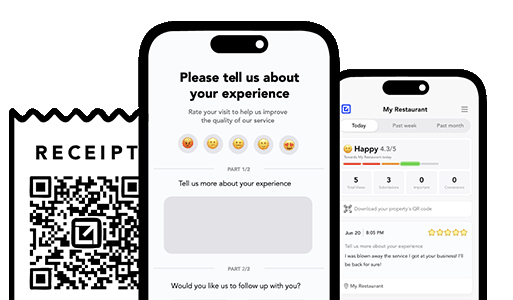
Email clients after every job. Catch issues early, recover unhappy clients fast, and drive repeat work with smart reminders.

Austin Spaeth is the founder of VisibleFeedback, a tool that helps service companies automate post-job follow-ups, catch issues early, and drive repeat work with smart reminders. With a background in software development and a focus on practical customer retention systems, Austin built VisibleFeedback to make it easy to email customers after every job, route problems to the right person, and keep relationships strong without awkward outreach. When he’s not building new features or writing playbooks for service businesses, he’s wrangling his six kids or sneaking in a beach day.
Whether you’re dealing with callbacks, unhappy customers, or low repeat work, we’ll help you tighten the follow up loop.
No credit card required.
