8/7/2025
Reviews
Smart Ways to Get More Reviews [Guide]
Practical, proven ways for any business to get more authentic reviews.

TLDR: If your Google review is not showing up, it was almost certainly filtered by Google’s spam system, not deleted by a person. Google hides reviews it suspects are fake or manipulated: reviews from empty or brand-new accounts, several posted from the same WiFi network, a sudden unnatural burst of reviews, or anything that smells like a paid or incentivized push. The fix is to ask customers to review from their own phone on their own cell data, keep a slow steady flow instead of big spikes, and never buy, bribe, or gate reviews. Below is exactly why reviews vanish, how to tell filtered from deleted, and how to keep the good ones sticking.
Here is the short version, because you probably came here mid-panic: your Google review is not showing up because Google filtered it, not because someone deleted it. Every review posted to a Google Business Profile runs through an automated spam and fraud check. If that system decides a review looks risky, it hides it from your public profile. The reviewer still sees it on their end, which is why customers swear up and down that they left it, but nobody else can find it.
This is one of the most common and most frustrating problems local business owners run into. You do everything right, a genuinely happy customer takes two minutes to leave you five stars, and then it evaporates. It feels personal, like a competitor is out to get you. Almost always, it is not. It is a machine making a judgment call about whether the review looks natural, and sometimes the machine gets a real review wrong.
The good news: once you understand what trips the filter, you can stop feeding it the patterns it flags, and your reviews start sticking.
Google does not publish the exact rules, for the obvious reason that fake-review sellers would game them instantly. But after years of watching this happen to real businesses, the patterns are clear and consistent. If your review is not showing up, one of these is usually why.
This is the single biggest cause. A review from an account with no profile photo, no name, no prior reviews, and no history looks exactly like a bot or a paid account. Google leans hard toward hiding it. Plenty of your best, most loyal customers have exactly this kind of bare-bones Google account, because they never review anything, which is a cruel irony. Their honest praise gets treated as suspicious precisely because they are not the type to leave reviews.
If you hand customers a shop tablet or ask them to review on the store iPad, every one of those reviews traces back to a single IP address and device. To the filter, that looks like one person creating fake reviews, not many real customers. Reviews left on your business WiFi or your own phone are some of the most commonly filtered. Same story if a bunch of customers all connect to your guest WiFi and post from there.
If you normally get one or two reviews a month and suddenly ten land in a single afternoon, that spike looks manufactured. Google’s system expects a natural, steady drip. A wall of reviews all at once, especially right after you opened or right after a “please review us” email blast, is a classic filter trigger. The reviews are real; the pattern is not believable.
Anything that resembles a paid or bribed review is a fast path to the filter, and increasingly to penalties. That includes “leave us a review and get 10 percent off,” buying reviews from a service, or review gating, where you only route happy customers to Google and block unhappy ones. Google and the FTC have both cracked down hard here. For the full picture on what is now against the rules, see our guide on the FTC fake review rule for local service businesses and how to ask for reviews without review gating.
Reviews that include URLs, phone numbers, promotional language, or content that reads more like an ad than a customer experience often get pulled. Same with profanity or anything that trips Google’s content policies. A plain, honest description of the job almost always survives; a review stuffed with your keywords and a link does not.
Sometimes it really is gone, not filtered. A customer can delete their own review at any time. And if Google flags a reviewer’s entire account as fake, every review that account ever left disappears at once. That is why you can occasionally lose several old reviews on the same day for no obvious reason.
Before you spend energy trying to recover a review, figure out which situation you are in, because the fix is different.
Ask the customer to check on their end. Have them open Google Maps, tap their profile picture, and go to “Your contributions,” then “Reviews.” If the review is still listed there but does not appear on your public profile, it was filtered, not deleted. If it is gone from their contributions too, they either deleted it or their account was flagged.
Check the timing and pattern. If the review vanished within hours of posting and several others did too, and they all came from your WiFi or in one burst, that is textbook filtering. If a single old review disappeared alone, the customer may have removed it.
Look at the account. If the review came from an account with no photo and no other activity, filtering is the likely answer. There is nothing wrong with the review itself; the account just does not look established.
Sometimes, but manage your expectations: recovery is not guaranteed, and there is no button to force a filtered review live. Here is what actually helps.
Honestly, the effort is better spent upstream: earning new reviews the right way so they stick in the first place. A recovered review here and there is nice, but a steady flow of clean, natural reviews is what actually grows your rating.
| Why the review is not showing | Filtered or deleted? | What to do |
|---|---|---|
| Reviewer’s account is empty or brand new | Filtered | Ask them to add a photo and a couple of real reviews |
| Posted from your WiFi or shop device | Filtered | Have them repost from their own phone on cell data |
| Ten reviews landed in one afternoon | Filtered | Spread future asks out; let them trickle in |
| Review had a link, phone number, or promo text | Filtered | Ask for a plain description of the experience |
| Looks bought, bribed, or gated | Filtered or penalized | Stop the incentive; ask everyone, not just fans |
| Gone from the customer’s contributions too | Deleted or account flagged | Little to recover; focus on new reviews |
You cannot control Google’s algorithm, but you can control the patterns that trip it. Do these consistently and the share of reviews that stick climbs fast.
Ask customers to review from their own phone, on their own data. This is the biggest one. No shop tablets, no store iPad, no “here, use my phone.” When each review comes from a different device and a different network, the whole batch looks exactly like what it is: many real people. If you send a review link by text, they will naturally open it on their own phone, which solves this automatically.
Keep the flow slow and steady. A few reviews a week, every week, beats twenty in one day followed by silence. Steady is what natural looks like, and it also keeps your profile looking active and current, which helps your ranking. The way to guarantee a steady flow is to attach the ask to the job itself, so it happens after every single customer instead of in occasional blasts. Our guide on automated review requests walks through how to set that up.
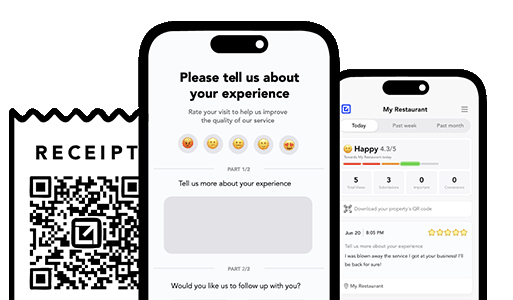
Ask everyone, and catch problems privately first. The safest, most durable way to build reviews is to give every customer a simple way to tell you how it went, then send the happy ones to Google and route the unhappy ones straight to you so you can fix the issue before it becomes a public one-star. That is not gating, because you are not blocking anyone from reviewing; you are simply solving problems privately before you ask. Tools like VisibleFeedback send that post-job check-in automatically, intercept dissatisfaction before it lands on your public profile, and point satisfied customers toward a review, all at a natural, steady pace that the filter reads as authentic. VisibleFeedback was built to catch issues before they show up on Google or Yelp, then turn your genuinely happy customers into the reviews that stick. Because it is affordable and no-contract, from $65 a month instead of the $299 to $699 the big platforms charge, it fits a local business budget.

Run this on every review ask and you will feed the filter far fewer red flags:
Why is my Google review not showing up even though the customer says they posted it? It was almost certainly filtered by Google’s automated spam system, not deleted. The reviewer still sees it under “Your contributions,” but it is hidden from your public profile because something about it, usually an empty account, your shared WiFi, or a sudden burst, looked risky to the filter. Have the customer confirm it still shows in their own contributions to be sure it is filtered rather than removed.
How long does it take for a Google review to show up? Most legitimate reviews appear within a few minutes to a few hours. If it has been more than a day and it is not visible on your profile, it has likely been filtered. Filtered reviews sometimes reappear on their own within a few days as Google re-evaluates, especially if the reviewer’s account gains a little more activity.
Can a competitor get my real reviews removed? It is far rarer than people assume. Anyone can report a review, but Google does not remove a legitimate one just because it was flagged; a human or system still evaluates it. The overwhelming majority of “disappeared” reviews are filtered by Google’s own spam detection, not taken down by a competitor. If a genuinely fake negative review appears, though, you can report it. See how to remove a fake Google review.
Do reviews left on my store WiFi get filtered? Often, yes. Multiple reviews from the same network and device look like one person creating fake reviews. Ask customers to review from their own phone on their own cell data instead, and the problem largely goes away.
How do I get more Google reviews that actually stick? Ask every customer right after the job, send the request by text so they use their own phone, keep the flow steady rather than in big spikes, and never buy or incentivize reviews. For the complete playbook, read how to get more Google reviews for your service business and how many Google reviews you actually need.
A Google review that is not showing up is a frustration almost every local business owner hits eventually, and the reflex is to blame a competitor or Google having it out for you. The truth is more mundane and more fixable: an automated filter looked at the review, decided it did not look natural, and hid it. Empty accounts, shared WiFi, one-day bursts, and anything that smells incentivized are the usual culprits.
You cannot argue with the algorithm, but you can stop handing it the patterns it flags. Ask customers to review from their own phone, keep a slow steady stream instead of spikes, ask everyone while fixing problems privately first, and never pay for reviews. Do that, and far more of your reviews stick, and the ones that do are the ones customers actually trust.
If you would rather that steady, natural, private-first flow run itself after every job, catching problems before they hit your profile and pointing happy customers toward a review at a pace the filter believes, start a free 14-day trial of VisibleFeedback, no credit card required.
Email clients after every job. Catch issues early, recover unhappy clients fast, and drive repeat work with smart reminders.

Austin Spaeth is the founder of VisibleFeedback, a tool that helps service companies automate post-job follow-ups, catch issues early, and drive repeat work with smart reminders. With a background in software development and a focus on practical customer retention systems, Austin built VisibleFeedback to make it easy to email customers after every job, route problems to the right person, and keep relationships strong without awkward outreach. When he’s not building new features or writing playbooks for service businesses, he’s wrangling his six kids or sneaking in a beach day.
Whether you’re dealing with callbacks, unhappy customers, or low repeat work, we’ll help you tighten the follow up loop.
No credit card required.
