8/7/2025
Reviews
Smart Ways to Get More Reviews [Guide]
Practical, proven ways for any business to get more authentic reviews.

TLDR: To remove a fake Google review, flag it from your Google Business Profile as a policy violation, and if flagging does not work within a week or two, submit the review through Google’s dedicated removal form and follow up with support referencing the case. Google only removes reviews that break its content rules, not reviews you simply disagree with, so frame your report around the specific policy the fake violates. Removal is never guaranteed, which is why the real protection is a steady stream of genuine reviews that buries any single fake before it can hurt you.
You are scrolling your Google Business Profile and there it is: one star, from a name nobody on your team recognizes, complaining about a job you have no record of ever doing. Maybe it is a competitor. Maybe it is an ex-employee with a grudge. Maybe it is a bot. What it is not is a real customer, and it is dragging down a rating you worked years to earn.
Learning how to remove a fake Google review is one of the most valuable reputation skills a local business owner can have, because a single fake 1-star review can cost you real money. BrightLocal’s research has consistently found that a jump from a 3-star to a 5-star rating can mean a large swing in clicks and calls, and industry estimates put roughly 10% of Google reviews in the fake or fraudulent bucket. That is not a rare problem. It is a Tuesday.
Here is the full process: how to tell a fake review from a harsh-but-real one, how to report it so Google actually acts, what to do when Google leaves it up, and how to make sure one fake review never has the power to hurt you again.
Before you report anything, be honest with yourself about what you are looking at. Google draws a hard line between a review that violates its policies and a review you simply do not like. It will remove the first kind. It will almost never remove the second.
A review is a strong candidate for removal if it is:
A review is probably not removable, even if it feels unfair, when a real customer had a real experience and is describing it in a way you disagree with. “They were overpriced and the tech was rude” from someone who was actually on your schedule is a bad review, not a fake one. That one you respond to, you do not report. We have a full guide on how to respond to bad reviews for exactly those cases.
It helps to see the line clearly before you spend an afternoon filing reports. Here is the practical breakdown.
| The review… | Removable? | What to do |
|---|---|---|
| From someone who was never a customer | Likely yes | Report as fake / conflict of interest |
| From a competitor or ex-employee | Likely yes | Report as conflict of interest |
| Contains slurs, threats, or names an employee to attack them | Likely yes | Report as harassment |
| Is about politics, parking, or an unrelated business | Likely yes | Report as off-topic |
| Duplicate or bot-generated spam | Likely yes | Report as spam |
| A real customer who is angry about price or service | No | Respond professionally |
| A real customer who got a detail wrong | Rarely | Respond and correct the record calmly |
| A 1-star with no text at all | Sometimes | Report if no transaction exists; otherwise ask for context |
The pattern is simple. Google removes reviews that break rules, not reviews that hurt feelings. Frame every report around a specific policy, and your odds go way up.
This is the fastest path and it is where you should always start.
Choose the reason carefully. “Off-topic” and “fake” are treated differently, and picking the category that genuinely fits gives the review a better chance of being caught by Google’s system.
Flagging often goes into a black hole. If a week or two passes with no change, escalate. Google has a dedicated review removal tool and a support path for exactly this. Search “Google review removal tool” or open your Business Profile support menu and choose the reviews option.
When you get to the report form, this is where you win or lose. Do not write “please remove, this is unfair.” Write like you are building a case:
“This review is from [name], who has no record of ever being a customer. We have no invoice, appointment, or transaction associated with this person. The review describes a service we did not perform on a date we have no job scheduled. This violates Google’s policy on fake and fabricated content.”
Specific, factual, policy-anchored. That is the language that gets action.
Removal is rarely instant and it is rarely one-and-done. Check back. If you opened a support case, reply to it and reference the case number. Politely resubmit if you get an automated denial that clearly did not consider your evidence. Owners who follow up two or three times get removals that owners who file once and give up never see.
If a review names an employee to threaten or defame them, includes personal information, or is part of a coordinated attack, you have stronger options. You can submit a legal removal request through Google’s legal help pages, and in genuinely defamatory situations a short letter from an attorney can move things Google’s standard form will not. Reserve this for real cases. It is not for reviews you simply disagree with.

Here is the hard truth: even a clear-cut fake can sit on your profile for weeks, and some never come down at all. So you fight the removal battle and the reputation battle at the same time.
Respond publicly, calmly, and for the audience, not the reviewer. Every future customer reads your response, and a measured reply to an obvious fake makes you look more trustworthy, not less. Something like:
“Thank you for the feedback. We take every review seriously, but we have no record of serving a customer by this name and no transaction matching this description. If you believe you worked with us, please contact us directly at [phone] so we can look into it. We have reported this review to Google for verification.”
That does three things at once. It signals to readers that the review is likely bogus. It stays professional. And it quietly tells Google you dispute it. What you must never do is get into a public fight, post the reviewer’s personal details, or reply in anger. Our 15-minute customer recovery process covers how to keep your cool even when a review is completely unfair.
You can spend hours fighting a single fake and still lose. So flip the math. The businesses that shrug off fake reviews are not better at reporting them; they simply have so many real reviews that one fake barely registers.
Think about it. If you have 8 reviews and one is a fake 1-star, that fake is 12% of your reputation and it is sitting right on the first page. If you have 80 reviews and one is a fake 1-star, it is barely 1%, it gets pushed down the page in days, and your average hardly moves. Volume is armor.
The way you build that armor is not by begging. It is by making a review request a normal, automatic part of finishing every job, and by only pointing genuinely happy customers at your public profile. That is exactly the gap tools like VisibleFeedback close. After each job, it texts or emails the customer a quick check-in. Happy customers get routed straight to your Google review link, so your real-review count climbs week after week. Unhappy customers get a private channel to tell you what went wrong, so you fix it before it ever becomes a public 1-star. VisibleFeedback was built to catch issues before they show up on Yelp or Google, and the steady stream of real reviews it generates is what makes any single fake review a non-event.
There is a bonus effect too. A profile that gets fresh, detailed, genuine reviews every week looks legitimate to Google’s spam systems, which makes the occasional fake stand out more, not less.
Copy this and keep it somewhere your team can find it.
There is no fixed timeline. Some flagged reviews come down in a few days; many take two to six weeks, and some are never removed. Following up on your support case and providing specific evidence speeds it up. Do not assume silence means denial. Keep checking and keep escalating.
No. Google only removes reviews that violate its content policies, not reviews you disagree with. If a real customer left an honest but harsh review, your only move is a professional public response. Reporting it as fake when it is not can waste your time and hurt your credibility.
Most fake negative reviews come from competitors trying to knock down your rating, former employees with a grudge, or automated spam and bot networks. Occasionally it is a case of mistaken identity, where someone reviews the wrong business. Checking your own records usually reveals which it is.
Be very careful. No legitimate service can guarantee removal of a review, because only Google controls that. Some “review removal” companies use tactics that violate Google’s terms and can get your profile suspended. Stick to Google’s own reporting tools and, for serious defamation, a real attorney.
Build volume. A business with a large base of recent, genuine reviews absorbs the occasional fake without a dent. Automating your post-job review requests so real reviews arrive every week is the single most durable protection you have.
Learning how to remove a fake Google review comes down to two moves running in parallel. First, report it correctly: frame it as a specific policy violation, flag it, escalate to Google’s removal tool, and follow up until you get a real answer. Second, respond calmly in public so future customers see a professional owner while the process plays out.
But the removal is never guaranteed, and that is exactly why the strongest businesses do not depend on it. They keep a steady flow of real reviews coming in and catch unhappy customers privately, so one fake review is a rounding error instead of a crisis. If you want that protection running on autopilot, Start a free 14-day trial of VisibleFeedback, no credit card required.
For more on building that base, see our guides on how to get more Google reviews for your service business and why low review volume is costing you traffic even if they are all 5 stars.
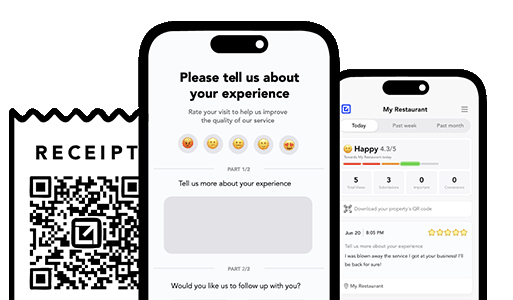
Email clients after every job. Catch issues early, recover unhappy clients fast, and drive repeat work with smart reminders.

Austin Spaeth is the founder of VisibleFeedback, a tool that helps service companies automate post-job follow-ups, catch issues early, and drive repeat work with smart reminders. With a background in software development and a focus on practical customer retention systems, Austin built VisibleFeedback to make it easy to email customers after every job, route problems to the right person, and keep relationships strong without awkward outreach. When he’s not building new features or writing playbooks for service businesses, he’s wrangling his six kids or sneaking in a beach day.
Whether you’re dealing with callbacks, unhappy customers, or low repeat work, we’ll help you tighten the follow up loop.
No credit card required.
