8/7/2025
Reviews
Smart Ways to Get More Reviews [Guide]
Practical, proven ways for any business to get more authentic reviews.

TLDR: Automated review requests are pre-written texts or emails that fire automatically after every completed job, at the moment the customer is most satisfied, so the ask happens on all of them instead of the handful your team remembers. The version that actually works sends a short private check-in first, routes anyone with a problem to a fast fix instead of a public review, and points only the confident, happy customers to a one-tap Google link. The result is more reviews, a higher average rating, and fewer bad surprises, all without anyone on your team having to remember a thing. Below is the case for automating, when to send, copy-paste templates, a manual-versus-automated comparison, the private-first funnel that keeps it honest, and how to keep the whole thing from feeling like spam.
Automated review requests are messages that ask a customer for a review on their own, triggered by an event like a completed job, instead of a person deciding to send them one at a time. You write the message once, decide when it should go out, and from then on every qualifying customer gets the same well-crafted ask at the same smart moment. No sticky notes, no “did anyone follow up with the Hendersons,” no relying on a tired tech to remember at the end of a long day.
That last part is the whole point. Almost every business I talk to believes it asks for reviews. Then we look at the numbers and the truth comes out: they ask when they remember, and they remember maybe one time in ten. The intention is real. The execution loses to a packed schedule every single day. A single skipped ask feels like nothing, but skip nine out of ten and you have quietly ignored the happiest customers you will ever have. Automating the ask is not about being fancy. It is about closing the gap between “we ask for reviews” and actually asking for reviews.
Manual asks fail for reasons that have nothing to do with how much you care:
Automation removes all four. The message is written once, so nobody has to find the words. It fires at a set time, so timing stops being a guess. It runs without a human, so a busy week doesn’t kill it. And because it runs on rails, you can actually see how many went out and how many turned into reviews.
Timing matters more than wording, and the right window depends on your work. The goal is to catch the customer after they have experienced the result but before the glow fades.
For a deeper look at the timing window, see when to send follow-ups after a job.

Here is the part most people get wrong. If you blast a review link to every customer the second a job closes, you will eventually text that link to someone whose faucet is still dripping, and you have just handed them a megaphone. Automation makes that mistake happen faster and more often.
The fix is a private check-in before the public ask. Every customer gets one short question: is everything good? Happy replies get a friendly review link. Unhappy replies come straight to you, privately, so you can fix the problem before it turns into a one-star rating. You are not filtering or hiding anyone. You are giving every customer a private channel first, and only asking for a public review after they tell you they’re happy. That single sequence is why automation raises your average rating instead of just raising your review count.
This is also what keeps you on the right side of the review platforms. Asking everyone privately and pointing only satisfied customers to a review is a normal, allowed practice. Withholding the link based on how someone answered a “how many stars” question is review gating, and it can get you flagged. The difference is subtle but real, and it’s worth understanding: ask for reviews without being shady or review gating.
Keep them short, human, and one-tap. Swap in your company name and review link. These are written to be scheduled and sent automatically.
Step 1, the private check-in (text)
Hi [Name], it’s [Company]. Quick check after today’s [job]: is everything working the way you hoped? Reply 1 all good, 2 something’s not quite right.
Step 2a, the review ask after an “all good” reply (text)
So glad to hear it, [Name]! If you have a quick minute, a short review really helps other folks find us. Here’s the direct link, it takes about 30 seconds: [review link]. Thank you!
Step 2b, the recovery reply after a “something’s off” reply (text)
Thanks for telling me, [Name]. I’d rather hear it from you than not at all. What’s going on? I’ll get it sorted out. You can reply here or call me at [number].
Email version of the check-in
Subject: Quick check after your [service]
Hi [Name],
Thanks again for choosing [Company]. Now that you’ve had a little time with the work, I wanted to make sure everything is exactly how you wanted it.
If it is, we’d be grateful for a quick review; it genuinely helps other people in [town] find us: [review link]
And if anything isn’t right, just reply to this email and I’ll take care of it personally.
Thanks, [Signature]
The links should go straight to your review page, not “search for us on Google.” If you don’t have a one-tap link yet, here’s how to create a Google review link.
| Manual asks | Automated review requests | |
|---|---|---|
| Who has to remember | A busy tech or front desk | Nobody |
| How many customers get asked | The few you catch | Every qualifying job |
| Timing | Whenever someone gets to it | The same smart window every time |
| Wording | Different every time, often awkward | One tested message |
| Bad-experience protection | Depends on the person | Built in with a private check-in first |
| Runs when you’re slammed or away | No | Yes |
| Can you measure it | Rarely | Yes, ask rate and conversion |
The pattern is simple: manual asks are limited by human attention, and automated asks are limited only by how many jobs you finish. That’s the whole reason volume jumps when you switch.
Automation earns its bad reputation when people set it and forget the human on the other end. A few rules keep it warm:
Do this well and customers don’t experience it as spam at all. They experience it as a company that checks in, catches problems, and makes it easy to say something nice.
You can absolutely start with a spreadsheet and a texting app, and if that’s all you have, start today. The habit is what works, not the software.
The reason businesses eventually automate it is memory and volume. Once you’re finishing several jobs a day, remembering to text each customer at the right hour, only asking the happy ones for a review, and routing every “something’s off” reply to a real person becomes its own full-time job, and it’s the first thing to slip when you get busy. Tools like VisibleFeedback intercept dissatisfaction before it turns into churn, sending the post-job check-in on your schedule, pointing confident customers to a review, and routing any problem straight to you before it lands on Yelp or Google. VisibleFeedback was built to catch issues before they show up on public review sites, and it starts at $65 a month with no contract, versus the $299 to $699 the big reputation platforms charge, which matters when you’re running a truck or two, not a national brand.
What are automated review requests? They’re texts or emails that ask a customer for a review automatically after a triggering event, usually a completed job, using a message you wrote once. Instead of hoping someone remembers to ask, every qualifying customer gets the same well-timed ask on its own.
Do automated review requests actually get more reviews? Yes, mostly because they solve consistency. Most businesses only ask the small share of customers they remember to, so the biggest gain comes from finally asking everyone. Pair that with good timing and a one-tap link and volume climbs quickly.
Is it legal to text customers for reviews? Generally yes, when you’re texting your own customers about a service you provided and you honor opt-outs, but the rules on consent and timing matter. Here’s a fuller answer: is it legal to text customers for reviews.
Won’t automated messages feel impersonal or spammy? Not if you keep them short, use the customer’s name and the real job, limit yourself to one ask, and actually respond to replies. What feels spammy is a generic “dear valued customer” blast with three follow-ups. A single, human check-in reads as a company that cares.
How is this different from review gating? Review gating means blocking the review link based on how someone rates you, which platforms prohibit. The approach here gives every customer a private channel first and asks only the happy ones for a public review; nobody is prevented from reviewing you. When a critical review does land, focus on the response: how to respond to bad reviews.
Your review count isn’t decided by how much you care about reviews. It’s decided by how often the ask actually happens, and if that ask lives in a busy person’s memory, it happens far less than you think. Automated review requests move the ask onto rails: every job, the right moment, the same friendly words, with a private check-in that catches problems before they go public. You end up with more reviews, a higher average rating, and fewer bad surprises, and nobody has to remember a thing.
Start with the two templates above and one rule: send a check-in after every job. If you’d rather it run itself, start a free 14-day trial of VisibleFeedback, no credit card required.
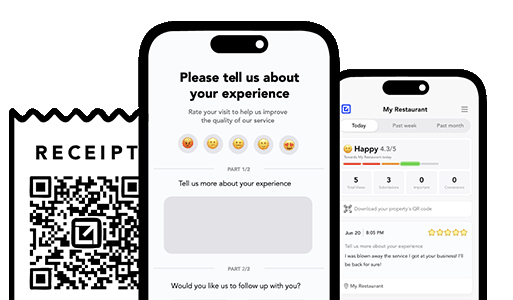
Email clients after every job. Catch issues early, recover unhappy clients fast, and drive repeat work with smart reminders.

Austin Spaeth is the founder of VisibleFeedback, a tool that helps service companies automate post-job follow-ups, catch issues early, and drive repeat work with smart reminders. With a background in software development and a focus on practical customer retention systems, Austin built VisibleFeedback to make it easy to email customers after every job, route problems to the right person, and keep relationships strong without awkward outreach. When he’s not building new features or writing playbooks for service businesses, he’s wrangling his six kids or sneaking in a beach day.
Whether you’re dealing with callbacks, unhappy customers, or low repeat work, we’ll help you tighten the follow up loop.
No credit card required.
