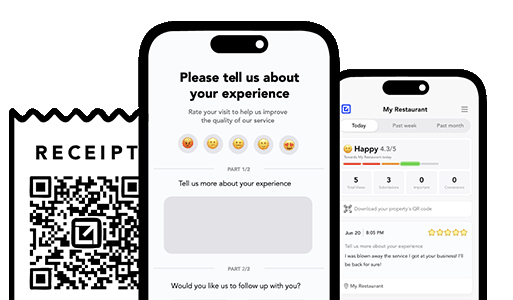
TLDR: Most unhappy customers don’t want a refund. They want speed, clarity, and a sense that someone competent is taking ownership. The problem is that many service businesses respond slowly, bounce the customer between people, and force them to repeat the story. That’s how you turn a small issue into a public 1-star review. The fix is a simple 15-minute recovery process: acknowledge the issue immediately, assign a single owner, make contact fast, resolve with a clear next step, confirm the fix, and log the outcome so the same mistake doesn’t repeat. This article gives you a step-by-step playbook, timing rules, scripts, escalation thresholds, and a lightweight logging template you can use for HVAC, pest control, home services, clinics, and any service business. You’ll also see how VisibleFeedback helps you execute this automatically by triggering instant alerts, capturing structured issue details, and closing the loop with confirmations—so unhappy customers get handled privately and quickly.
Why Speed Beats Perfection
When a customer is unhappy, you’re in a race against three things:
- Emotion (they’re frustrated right now)
- Momentum (they’re deciding whether to complain publicly)
- Forgetfulness (if you wait too long, the story hardens into “they don’t care”)
A fast response changes the narrative from:
- “They screwed me” → “They fixed it”
- “They ignored me” → “They took ownership”
Your goal in the first 15 minutes isn’t to “solve everything.” It’s to:
- confirm you heard them
- prove ownership
- set a credible plan
- remove the need for a public complaint
The 15-Minute Recovery Process (Overview)
This is the loop:
1) Acknowledge (0–2 minutes)
2) Assign (2–4 minutes)
3) Contact (4–10 minutes)
4) Resolve (10–15 minutes)
5) Confirm (same day or next day)
6) Log outcome (same day, while it’s fresh)
The “15 minutes” is about the front end: how fast you get from “complaint received” to “a real human is on it with a plan.”
Step 1: Acknowledge (0–2 Minutes)
You need an immediate acknowledgement. Not a generic auto-reply. A real message that communicates ownership.
Rules: - respond quickly (minutes, not hours) - don’t argue - don’t ask five questions - don’t dump policy language What to say (SMS) > Thanks for telling us. I’m on it. I’m going to look into this and call you shortly to make it right. What to say (phone or voicemail follow-up) > Hi [Name], this is [Your Name] with [Business]. I saw your message and I’m taking ownership of it. I want to understand what happened and get this fixed today. When’s the best time to talk—now or in the next hour? What to avoid: - “That’s not what our tech said.” - “Can you prove it?” - “You’ll have to email billing.” - “Fill out this form.”Acknowledgement is about reducing heat. Save details for the call.
Step 2: Assign (2–4 Minutes)
Every complaint needs a single owner. One person accountable for the outcome.
Bad: “Dispatch will look into it.” Good: “I’m the point person. I’ll coordinate this and follow through.” Assignment rules: - One owner (not a team) - One channel for internal coordination (Slack thread, ticket, group text) - One next action written down (call customer, schedule return visit, refund request)If you don’t assign, it becomes “everyone’s job,” which means it becomes nobody’s job.
Step 3: Contact (4–10 Minutes)
Make contact quickly. A call is best. SMS is acceptable if they prefer it. Email is too slow for recovery.
Contact priorities: - phone call first (if appropriate) - SMS second (if they don’t answer) - email only as a record after the plan is set Call script (short and effective) 1) Confirm the issue: “I read your message. You’re saying [repeat in plain words]. Did I get that right?” 2) Apologize without groveling: “That’s not the experience we want you to have.” 3) Ask one clarifying question: “What’s the most important thing you want fixed first?” 4) Offer a plan with timing: “Here’s what we’ll do next: [action]. We can do it [time window].” 5) Set the next checkpoint: “I’ll follow up after [event] to confirm it’s resolved.” Why this works: it makes the customer feel heard, and it forces you to turn emotion into an actionable plan.
Step 4: Resolve (10–15 Minutes)
Within 15 minutes, you should be able to do one of these:
- schedule a return visit
- schedule a call with the tech/manager
- issue a partial refund/credit (if warranted)
- explain a misunderstanding with proof (calmly)
- escalate internally to a decision-maker
Resolution is not “fix everything now.” Resolution is “a credible next step that removes uncertainty.” Resolution menu (pick one, don’t ramble) - Redo: “We’ll come back and correct it at no charge.” - Replace: “We’ll swap the part / re-treat the area.” - Refund/Credit: “We’ll credit $X for the inconvenience.” - Re-explain: “Here’s what happened and why, and what we’ll do to prevent it.”If you can’t offer a next step in 15 minutes, your process is broken.
Step 5: Confirm (Close the Loop)
Confirmation is where you prevent “they never fixed it” reviews.
Confirmation should be one-tap. Don’t ask them to write an essay. Confirmation (SMS) > Quick check — are we all set now? > Yes / NoIf “No,” you re-open the loop immediately and escalate.
Timing: - same day for urgent issues - next day for installs or “we adjusted something” situations
Step 6: Log the Outcome (So You Don’t Repeat It)
Most businesses skip logging. That’s why the same complaints happen again.
You don’t need a giant CRM process. You need a lightweight record.
Log:
- What went wrong (category)
- Root cause (if known)
- Who owned it
- Time to contact
- Resolution action
- Customer confirmed? (Yes/No)
- Any follow-up training needed?
Simple log template (copy/paste) - Date: - Customer: - Job type: - Complaint category: - Summary: - Owner: - Time complaint received: - Time first contact: - Action taken: - Resolved? (Y/N): - Notes / prevention:This creates a feedback loop inside your business, not just with the customer.
Escalation Thresholds (So Small Issues Don’t Become Big Ones)
Decide your escalation rules before you’re emotional.
Escalate immediately if:
- safety issue
- property damage
- “didn’t fix the issue” on a critical service (no heat, leak, infestation)
- repeat complaint from the same customer
- customer mentions “review,” “BBB,” “lawsuit,” or “chargeback”
Escalate within 24 hours if:
- pricing disputes
- communication complaints
- cleanliness concerns (unless severe)
These rules protect your time and keep frontline staff from guessing.
Why This Process Prevents Bad Reviews
Bad reviews happen when:
- customers feel ignored
- customers feel disrespected
- customers feel like nobody owns the problem
- customers feel forced into public escalation
This 15-minute recovery loop eliminates all four.
VisibleFeedback: The Fastest Way to Trigger and Run Recovery
You can run this process manually. The problem is consistency.
VisibleFeedback helps you execute recovery fast by:
- capturing negative feedback immediately (one-tap)
- collecting structured details (category + optional note) so the customer doesn’t repeat themselves
- alerting the right person instantly (so “assign” happens automatically)
- providing a clean workflow to contact, resolve, confirm, and log outcomes
- routing happy customers into reviews, while routing unhappy customers into private recovery
That last part is the big one: it reduces public complaints by design.
Make This Work in Real Life: A 3-Rule Implementation
If you want a minimal version you can roll out today:
1) Every job gets a one-tap follow-up (SMS is best)
2) Every negative response gets contact within 1 hour
3) Every complaint gets a logged outcome
Do those three consistently and you’ll see fewer bad reviews and higher retention within weeks.
Bottom Line
You don’t need perfect customer service. You need fast, owned, repeatable recovery.
Acknowledge. Assign. Contact. Resolve. Confirm. Log.
If you do that in the first 15 minutes, you stop most complaints from ever becoming public—and you turn a lot of “about to churn” customers into repeat customers.