🚀 Start Here For Help

Whether you’re dealing with callbacks, unhappy customers, or low repeat work, we’ll help you tighten the follow up loop.

Turn Jobs Into Repeat Work

VisibleFeedback automatically texts or emails customers after every job.

  • Automated texts or emails post job
  • Catch issues before they go public
  • Reminders that drive repeat jobs
Send My First Follow Up
14 day trial, no credit card required

Recent Reviews Insights

8/28/2026
Reviews

How to Get More Angi Reviews for Your Home Service Business

Angi ranks contractors by review volume, recency, and rating, so a slow trickle of reviews quietly buries you. Here's how home service businesses earn more Angi reviews, keep them recent, and catch problems privately before they turn into a public one-star.

8/27/2026
Reviews

Review Response Templates: What to Say to 5-Star, 3-Star, and 1-Star Reviews

Most owners agonize over the 1-star and ignore the 5-star, which is backwards. Here are copy-paste review response templates for every rating, the rules that keep your replies from making things worse, and a way to catch the worst reviews before they ever post.

8/24/2026
Reviews

How to Get More Facebook Reviews and Recommendations for Your Local Business

Facebook quietly replaced star reviews with yes/no Recommendations years ago, and most local businesses never updated how they ask. Here's how to earn more Facebook recommendations, set the feature up right, and catch unhappy customers privately before they post to your Page.

8/23/2026
Reviews

Is It Legal to Text Customers for Reviews? SMS Compliance for Local Businesses

Yes, you can text customers for reviews, but only if you follow a few consent and opt-out rules. Here is the plain-English compliance guide for local service businesses.

8/20/2026
Reviews

How to Ask Patients for Reviews Without Violating HIPAA

Asking patients for reviews is allowed under HIPAA. Disclosing that someone is your patient, or any detail of their care, is where practices get fined. Here is how to build a review request and response process that stays compliant and still fills your listing with 5-star reviews.

8/19/2026
Reviews

How Many Google Reviews Do You Need? A Straight Answer for Local Businesses

There's no universal magic number of Google reviews, but there is a right number for your market. Here's how to figure out how many reviews you actually need to get chosen, plus the recency and rating benchmarks that matter just as much, and a simple system to get there without begging.

8/16/2026
Reviews

How to Get More Nextdoor Recommendations for Your Local Business

Nextdoor recommendations are the digital version of a neighbor over the fence saying 'call these guys.' Here's how local service businesses earn them, why one thread can send you three jobs, and how to catch problems privately before they land in a public neighborhood post.

8/14/2026
follow-ups

Flooring Installer Follow-Up: More Reviews, More Referrals, Fewer Callbacks

Flooring is a high-dollar, one-shot job where a squeak or a gap the homeowner notices a week later turns into a callback and a bad review. A simple flooring installer follow-up catches those small worries privately, turns happy homeowners into reviews, and keeps the referrals coming.

8/13/2026
follow-ups

Home Inspector Follow-Up: More Reviews, More Realtor Referrals, Fewer Disputes

Home inspectors live and die by two things: online reviews from buyers and steady referrals from agents. A simple home inspector follow-up system catches an anxious buyer privately before they leave a 1-star, turns happy clients into reviews, and keeps you top of mind with the realtors who feed your calendar.

8/4/2026
Reviews

Water Damage Restoration Follow-Up: More 5-Star Reviews, Fewer Complaints

Restoration jobs are stressful, multi-week, and insurance-tangled, which is exactly why a great crew still ends up with a mediocre rating. Here is a simple water damage restoration follow-up system that catches complaints privately during the job, earns more 5-star reviews, and turns plumbers, agents, and property managers into a steady referral stream.

7/27/2026
Reviews

How to Remove a Fake Google Review (and What to Do When You Can't)

A fake Google review from someone who was never your customer can drag down your rating and scare off real ones. Here is how to spot a fake review, report it so Google actually removes it, and protect your rating when the review stays up.

7/26/2026
Reviews

How to Create a Google Review Link (Step by Step, Plus a Free QR Code)

A direct Google review link drops a customer straight into the review box in one tap, which is the difference between a review that gets written and one that never does. Here is how to create your Google review link three different ways, turn it into a QR code, and actually get it used.

2/14/2026
Reviews

How to Get More Google Reviews for Your Service Business

Stop losing customers to competitors with better reviews. Learn the system service businesses use to get 10-20x more Google reviews without feeling pushy or annoying customers.

2/13/2026
Reviews

How to Respond to Bad Reviews: A Guide for Service Businesses

A bad review doesn't have to cost you customers. Here's exactly how to respond — with examples from HVAC, plumbing, electrical, and other service businesses.

2/12/2026
Electrician

How Electricians Can Prevent Bad Reviews Before They Happen

Most bad reviews for electricians come from the same 5 preventable problems. Here's how to identify and fix them before a frustrated homeowner opens Google.

Show more insights
How to Get More Facebook Reviews and Recommendations for Your Local Business
© Photo via Unsplash

How to Get More Facebook Reviews and Recommendations for Your Local Business

TLDR: Facebook reviews still exist, they are just called Recommendations now, a simple “yes, I recommend this business” with a short written note. You get more of them by turning the feature on in your Page settings, doing work worth talking about, and asking happy customers the same day with a direct link. Just as important, you put a private check-in between your customers and your public Page, so the frustrated ones reach you first and the happy ones become your best social proof. Below is how Facebook recommendations actually work, the setup steps most owners skip, the exact asks, and a private-first system that keeps complaints off your Page.


Why Facebook reviews still matter for local businesses

Plenty of owners have written off Facebook reviews. Big mistake. When someone hears about you from a friend, or spots your yard sign, or sees your van, one of the first things they do is look you up on Facebook. Your Page is where they check if you are real, active, and trusted. A row of recent recommendations under your business name does more to close that buyer than any ad you could run.

Facebook also feeds local discovery. Recommendations can surface in a friend’s feed, in local “does anyone know a good ___” posts, and in Facebook’s own local search. A recommendation is not just a rating sitting on a profile; it is a signal that can travel to the exact people who live near you and already trust the person doing the recommending. That is why getting more Facebook reviews is still one of the cheapest, highest-trust marketing moves a local business has.

The catch is that most businesses stopped asking, because the button they remember disappeared.

Wait, does Facebook even have reviews anymore?

Yes, but the name and the format changed, and that change is exactly why so many Pages went quiet. Back in 2018, Facebook retired the old one-to-five star rating and replaced it with Recommendations. Instead of picking a number of stars, a customer answers a plain question, “Do you recommend this business?”, taps yes or no, and writes a short note about why.

For a local buyer, a Recommendation does the same job the old star review did, arguably better, because a real “yes, these folks were great, here’s what they did” reads more like a personal referral than a number. But for business owners, the switch caused three quiet problems:

  • The old “leave us a 5-star review” ask stopped matching what customers actually see, so people got confused and gave up.
  • Many owners assumed reviews were gone and simply stopped asking.
  • Some Pages have Recommendations turned off and do not know it, so even willing customers hit a dead end.

Fix those three things and your recommendation count starts moving again.

Happy customer"Yes, I recommend"Your PagePublic, under your nameFriends' feedsSeen by nearby peopleNew customerWarm, pre-soldOne recommendation can reach dozens of local people who never searched for you

How to turn on and set up Facebook Recommendations

Before you ask a single customer, make sure the feature is actually on and easy to find. Five minutes here saves you from sending people to a dead end.

  1. Confirm Recommendations are enabled. In your Page settings, look under the Templates and Tabs area (or Page Settings on newer layouts) and make sure the Reviews or Recommendations tab is turned on and visible. If it is off, no one can leave one, no matter how happy they are.
  2. Fill out the Page like you mean it. A current profile photo and cover, correct hours, service area, phone, website, and a real description. Recommendations land better on a Page that looks alive.
  3. Grab your direct recommendation link. The easiest path to more recommendations is a link that drops the customer straight onto the “recommend” prompt. It is usually your Page URL followed by /reviews/. Test it on your phone so you know exactly what the customer will see.
  4. Set your default reply habit. Decide now that you will respond to every recommendation as the Page, a quick thank-you on the good ones and a calm, helpful reply on any critical one. Responding publicly signals to future readers that a real person is paying attention.

How to get more Facebook reviews, step by step

Setup done, here is the part that actually grows the number.

1. Ask the same day, while the good feeling is fresh

The single biggest lever is timing. A customer who just watched you fix their problem is at peak goodwill. Wait a week and that feeling fades, the job blurs, and the ask feels like homework. Ask within a day of finishing the work and your yes rate climbs dramatically.

2. Send a direct link, not “find us on Facebook”

Every extra step costs you recommendations. Do not tell people to search for your Page; send the exact link that opens the recommend prompt. The fewer taps between “sure, I’ll do that” and a posted recommendation, the more you collect.

3. Ask the right person, not everyone

Blasting every customer with a public ask is how complaints end up on your Page. The smart play is to find out how someone feels first, then point the happy ones to Facebook and route the unhappy ones to you privately. That is the whole idea behind a review funnel, and it is the difference between a Page full of recommendations and a Page you are afraid to look at. More on the funnel in a second.

4. Make it a habit, not a campaign

The businesses that win at this do not run a big review push once a year. They ask every happy customer, every week, forever. A steady trickle of fresh, recent recommendations beats a pile of old ones, because buyers care most about what happened lately.

VisibleFeedback Icon

Automate follow ups after every job

Catch issues early and drive repeat work with smart reminders.

Start A Free Trial

The mistake that costs you: letting complaints go public first

Here is the part most “get more reviews” advice skips. The same public Page that shows off your recommendations will show off a complaint just as loudly. A recommendation that says “would not recommend, they no-showed twice” sits right under your business name, and unlike a Google review buried among many, it greets everyone who checks whether you are legit.

You cannot delete an honest critical recommendation. What you can do is make sure the unhappy customer reaches you before they reach Facebook. Most public complaints come from people who felt ignored, not people who are impossible to please. They had a problem, nobody asked, and the Page was the only place they felt heard. Take away the silence and you take away most of the reason to post.

That is what a simple post-job follow-up does. A short private check-in a day or two after the job, “was everything good, or is anything not quite right?”, gives a frustrated customer a private lane to tell you first. You fix it, and the recommendation that would have gone up never does. Tools like VisibleFeedback intercept dissatisfaction before it turns into a public complaint, routing an unhappy reply straight to the right person while the fix is still easy, instead of letting it surface on your Facebook Page or on Google. The same check-in surfaces your happy customers, who are exactly the ones to send to your recommendation link. VisibleFeedback was built to catch issues before they show up on Yelp, Google, or your Facebook Page, and to do it at a no-contract price built for a local business, not an enterprise.

Job donePrivate check-in textUnhappy replyRouted to you, fixed privatelyHappy replySent your Facebook linkNever becomes a public postPublic recommendation, more leads

This is not review gating, and it is worth being clear about the line. You are not hiding negative feedback or blocking anyone from posting; you are simply making sure you hear a problem first so you can fix it. Here is the honest version of that approach in asking for reviews without being shady, and the step-by-step for when something does go wrong in how to handle unhappy customers fast.

Facebook vs Google vs Nextdoor: where each one fits

You do not have to choose one platform, and you should not. But knowing what each is good for tells you where to point your energy.

FacebookGoogleNextdoor
FormatYes/no recommendation + note1 to 5 stars + textNeighbor recommendation
What it really isSocial proof on your PageSearch visibilityNeighbor referrals
AudienceFriends and local followersEveryone searchingYour exact service area
Best forTrust when people look you upGetting found at allWord-of-mouth leads
Biggest riskA public complaint under your nameLow review volumeA local public complaint

Google is still where most buyers find and vet you, so keep stacking reviews there; here is the full method for getting more Google reviews for a service business. Facebook is where they confirm you are real and active once they have heard your name, and Nextdoor recommendations turn a happy customer into an active referrer. The same post-job check-in feeds all three.

Copy-paste scripts to ask for Facebook recommendations

Steal these, swap the names, keep them short and human.

Same-day text after a happy job:

Hey [Name], so glad the [job] went well. If you have 30 seconds, a quick recommendation on our Facebook Page would mean a lot to us. Here’s the direct link: [your /reviews/ link]. Thank you.

In person, when a customer says they’re thrilled:

That’s great to hear. Honestly, recommendations on Facebook help small shops like ours more than anything. If you’re on there, I’ll text you the link so it’s one tap.

Follow-up after a positive check-in reply:

Thanks [Name], that made my day. One small favor: would you mind saying that in a recommendation on our Facebook Page? Here’s the link, no worries if you’re too busy: [your /reviews/ link].

Private response the moment an unhappy reply comes in:

Thanks for telling me, [Name], and I’m sorry it’s not right. I’d much rather hear it from you than leave you unhappy. Can I come back [day] to make it right?

Public reply to a critical recommendation (as the Page):

Thank you for the honest feedback, [Name]. This isn’t the experience we want anyone to have. I’ve sent you a message so we can make it right.

FAQ

Does Facebook still have reviews? Yes, they are just called Recommendations now. Instead of a one-to-five star rating, a customer answers “Do you recommend this business?”, taps yes or no, and writes a short note. For a buyer it does the same job as the old star review, and it is still public on your Page.

How do I turn on Facebook Recommendations? Open your Page settings, find the Templates and Tabs area, and make sure the Reviews or Recommendations tab is enabled and visible. If it is off, customers cannot leave one. It only takes a minute, and plenty of Pages have it off without the owner realizing it.

What is the direct link to leave a Facebook recommendation? It is usually your Page URL followed by /reviews/. Test it on your phone so you see exactly what customers see, then paste that link into your ask instead of telling people to search for your Page.

Can I delete a bad Facebook recommendation? Not an honest one. You can report a recommendation that violates Facebook’s policies, and you can reply publicly to show future readers you handle problems well, but you cannot remove genuine criticism. The reliable fix is prevention: a private check-in that catches the complaint before it ever goes public.

How many Facebook recommendations do I need? There is no magic number, but recency matters more than the total. A steady stream of recent recommendations tells a buyer you are active and trusted right now, which beats a big pile of years-old ones. Aim to add a few every month rather than chasing a one-time total.

The bottom line

Facebook reviews did not disappear, the ask just changed, and most local businesses never caught up. Turn Recommendations on so customers can actually leave one. Ask the same day, with a direct link, while the goodwill is fresh. And put a private channel between your customers and your public Page, so the frustrated ones reach you first and the happy ones become the social proof that closes your next buyer.

You can start today with nothing but a claimed Page and a habit of asking. If you would rather the check-in run itself after every job, catching problems before they hit your Page and pointing your happy customers straight to your recommendation link, start a free 14-day trial of VisibleFeedback, no credit card required. For the gentle, non-pushy way to ask across every platform, here is how service companies get more reviews without being pushy.
VisibleFeedback Icon

Automate follow ups after every job

Catch issues early and drive repeat work with smart reminders.

Start A Free Trial
VisibleFeedback running on iphones

Turn Jobs Into Repeat Work

Email clients after every job. Catch issues early, recover unhappy clients fast, and drive repeat work with smart reminders.

No card needed, cancel any time

Related articles

How to Get More Angi Reviews for Your Home Service Business

8/28/2026

Angi ranks contractors by review volume, recency, and rating, so a slow trickle of reviews quietly buries you. Here's how home service businesses earn more Angi reviews, keep them recent, and catch problems privately before they turn into a public one-star.

Google Business Profile Optimization: The 2026 Checklist for Local Service Businesses

8/25/2026

Your Google Business Profile is the storefront most local customers see first. This is the plain-English checklist for optimizing it: categories, photos, services, reviews, and the private-first habit that keeps your rating high while competitors bleed one-star complaints in public.

How to Get More Nextdoor Recommendations for Your Local Business

8/16/2026

Nextdoor recommendations are the digital version of a neighbor over the fence saying 'call these guys.' Here's how local service businesses earn them, why one thread can send you three jobs, and how to catch problems privately before they land in a public neighborhood post.

People also ask

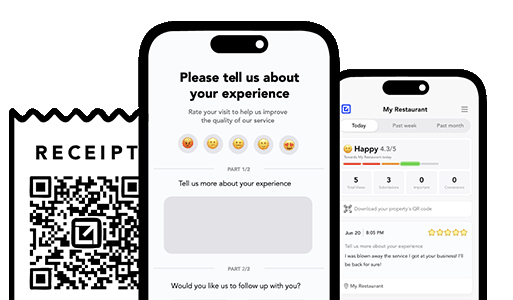
How can I prevent negative reviews from hurting my business? You can’t stop every unhappy customer from sharing feedback, but you can intercept it before it goes public. Tools like VisibleFeedback allow customers to scan a QR code and leave feedback privately. If the feedback is negative, you’re alerted instantly so you can resolve the issue before it turns into a 1-star review.
Why are customer reviews so important for local SEO? Reviews are one of the top local ranking factors on Google. Businesses with consistent positive reviews rank higher in search results and attract more customers. By using VisibleFeedback to capture happy customer moments and guide them to Google or Yelp, you build a steady flow of authentic reviews that improve both your reputation and your local SEO.
What’s the best way to collect customer feedback in 2025? Traditional methods like comment cards and long surveys don’t work anymore, customers want convenience. The easiest way to collect real-time feedback in 2025 is by using QR codes and mobile-friendly forms. VisibleFeedback makes this simple, helping you get instant insights while turning satisfied customers into 5-star reviewers.
How can I get more positive reviews? The key to getting more positive reviews is asking at the right moment, when the customer is satisfied and the experience is still fresh. With tools like VisibleFeedback, you can use smart prompts, follow-up messages, and QR codes to make it easy and natural for happy customers to leave a review, while privately capturing negative feedback before it goes public. For a full breakdown of proven strategies, check out our guide on how to get more reviews.
What’s the fastest way to handle negative reviews? Respond quickly, stay professional, and try to resolve the issue privately if possible. Negative feedback is often a chance to turn frustration into loyalty, if you act fast. Tools like VisibleFeedback help by catching complaints before they go public. For a full playbook on how to handle bad reviews and protect your reputation, check out our guide on what to do when you get negative feedback.
Do private feedback tools really work? Yes, customers prefer private channels to share complaints. VisibleFeedback captures these insights and helps you turn unhappy customers into loyal ones.
Authored by Austin Spaeth

Austin Spaeth

Austin Spaeth is the founder of VisibleFeedback, a tool that helps service companies automate post-job follow-ups, catch issues early, and drive repeat work with smart reminders. With a background in software development and a focus on practical customer retention systems, Austin built VisibleFeedback to make it easy to email customers after every job, route problems to the right person, and keep relationships strong without awkward outreach. When he’s not building new features or writing playbooks for service businesses, he’s wrangling his six kids or sneaking in a beach day.

🚀 What's your goal? Get a plan ...

🚀 Start Here For Help

Whether you’re dealing with callbacks, unhappy customers, or low repeat work, we’ll help you tighten the follow up loop.

×

👋 Wait! Before You Go

Send your first follow up today! Catch issues early and drive repeat work.

No credit card required.