8/7/2025
Reviews
Smart Ways to Get More Reviews [Guide]
Practical, proven ways for any business to get more authentic reviews.

TLDR: You can ask patients for reviews without violating HIPAA. HIPAA does not ban review requests; it bans disclosing protected health information without written authorization. Send a neutral request that reveals nothing about the visit, route unhappy patients to a private channel so the complaint never lands in public, never confirm in a public reply that someone was a patient, and only use a vendor that will sign a Business Associate Agreement. Do those four things and you can fill your listing with real reviews and stay compliant.
Most healthcare practices are leaving reviews on the table for a reason that turns out to be backwards. The owner heard “HIPAA” and “reviews” in the same sentence once, got nervous, and quietly decided the safe move was to never ask. So the practice does excellent work, sends grateful patients out the door, and watches its listing stay thin while the one furious no-show gets the loudest voice.
Here is the thing worth saying clearly: asking patients for reviews does not violate HIPAA. A review request, by itself, discloses nothing about anyone’s health. What HIPAA actually restricts is the disclosure of protected health information, or PHI, without the patient’s written authorization. The danger is not the ask. The danger is in the details you let slip, and above all in how you respond when a review shows up. That is where real practices have been fined.
This guide walks through how to ask patients for reviews without violating HIPAA, the one response mistake that gets offices in trouble, the vendor question you have to get right, and templates your front desk can start using today. This is practical operator guidance, not legal advice; run your final process past your own compliance counsel.
No. HIPAA governs how covered entities (and their business associates) use and disclose PHI. A message that says “thanks for coming in, we would appreciate your feedback” contains no health information, so it is not a disclosure. You are allowed to invite patients to review you on Google, Yelp, Facebook, or Healthgrades.
What you cannot do is reveal PHI in the process. PHI is anything that ties a person to their care: their name plus the fact that they are your patient, the condition you treated, the procedure they had, their appointment date, their diagnosis. The moment a message or a public post connects an individual to any of that without written authorization, you have a problem, no matter how positive the intent.
Almost nobody gets in trouble for the request. They get in trouble for the response.
A patient posts an unfair one-star review. The owner, understandably angry, replies in public: “We spent two hours on your root canal and you never paid your balance.” Every word of that is a HIPAA disclosure. You just confirmed this person was a patient, named the procedure, and referenced their billing, all without authorization, in front of the entire internet.
This is not hypothetical. HHS Office for Civil Rights has settled cases over exactly this pattern. A Texas dental practice paid a five-figure settlement after responding to online reviews with patients’ protected health information, including names and treatment details. The reviews stung, the owner answered with specifics, and the specifics were the violation.
So the rule for responding to any review, positive or negative, is simple: never confirm the person is a patient and never reference their care. You can respond, you just have to stay generic. A safe response acknowledges feedback, states your standards, and moves the conversation to a private channel:
Thank you for taking the time to share this. We take all concerns seriously and want to make things right. Please contact our office at [phone] so we can help.
That reply works for a genuine complaint and gives you nothing to regret. Notice it never says “as our patient” or “during your visit.” For more on the wording that de-escalates without oversharing, see our guide on how to respond to bad reviews.
Here is the strategic move that makes HIPAA compliance so much easier: stop letting unhappy patients reach the public review box in the first place.
If you send every patient a short private check-in after the visit, the person who is upset about the wait, the bill, or a sore jaw tells you first, in a text or email that only your team sees. You fix it privately. That patient never writes the angry public review, which means you are never sitting there tempted to defend yourself in a reply that leaks PHI. The happy patients, meanwhile, get pointed to your public listing.
This private-first funnel is the same idea we cover in why negative reviews happen and how to intercept them, and it matters even more in healthcare, because the cost of a public back-and-forth is not just reputational, it is regulatory. Tools like VisibleFeedback are built to catch dissatisfaction privately before it turns into a public review, which for a practice means fewer complaints you are tempted to answer the wrong way. Just be sure to keep the check-in message itself neutral: “How was your visit today?” is fine; “How are you feeling after your extraction?” is not.

This is the part practices skip, and it is not optional. Any software that stores your patients’ names and phone numbers and sends messages on your behalf is a business associate under HIPAA. Before you use it, you need a signed Business Associate Agreement (BAA), the contract that makes the vendor legally responsible for safeguarding that information.
Contact lists, appointment timing, and even the fact that someone is on your patient roster can be PHI. A texting or review platform that touches any of it needs a BAA, full stop. So when you evaluate any follow-up or review tool, including VisibleFeedback, ask the vendor directly: “Will you sign a BAA?” If the answer is no or a shrug, that tool is not built for a covered entity, and you should keep looking regardless of how nice the features are.
| Question to ask a review vendor | Why it matters |
|---|---|
| Will you sign a BAA? | Required before they can handle any PHI on your behalf |
| Where is patient data stored and is it encrypted? | Encryption at rest and in transit is a core safeguard |
| Who on our team can see patient contact info? | Access should be limited to staff who need it |
| Can messages be kept free of health details? | You need neutral, PHI-free templates |
| Can complaints be routed privately, not to public? | Keeps unhappy patients off your public listing |
| Can we delete a patient’s data on request? | Supports patient rights and data minimization |
Reviews and testimonials are different animals. A review is something the patient writes and posts on a third-party site under their own account, which is their choice to make. A testimonial you publish on your own website or social media uses the patient’s identity and story, so it requires the patient’s written authorization before it goes live. Same with before/after photos, treatment stories, or anything that identifies the person and their care.
Get a simple, dated authorization form signed, spelling out exactly what will be shared and where, and giving the patient the right to revoke it. Keep it on file. If you ever want to reuse the content somewhere new, get fresh consent. This is the same discipline good practices already use for marketing photos; extend it to every quote and image that features a real patient.
Here is the whole process in order. None of it requires special software, though automation makes it consistent instead of “whenever the front desk remembers.”
Follow that sequence and you get the upside of reviews (more new patients finding you) without the downside (an OCR letter). For the wider system this fits into, our breakdowns for dental practices, chiropractic offices, and veterinary clinics all use the same private-first backbone.
Steal these, keep them neutral, and never add a clinical detail. Swap in your names.
| When | Channel | Message |
|---|---|---|
| Post-visit check-in | Text | Hi [Name], it’s [Practice]. How was your visit with us today? Reply 1 great, 2 okay, 3 please contact me. |
| Happy reply, review ask | Text | So glad to hear it, [Name]! If you have a moment, a quick review helps other people find our office: [review link]. Thank you! |
| Unhappy reply, private save | Text | Thanks for letting us know, [Name]. We want to make this right. Someone from our office will reach out shortly, or call us at [phone]. |
| Public reply to any review | Public | Thank you for your feedback. We take all concerns seriously and would like to help. Please contact our office at [phone]. |
| Testimonial request | Hi [Name], we would love to feature a short note about your experience on our website. If you are open to it, we will send a quick authorization form so we can share it with your permission. |
Notice what is missing from every one of these: the reason for the visit. That absence is the whole point.
Can a dentist or doctor ask for a Google review without violating HIPAA? Yes. The request itself contains no protected health information, so it is not a disclosure. Keep the message neutral and you are fine. The compliance risk lives in responses and testimonials, not in the ask.
Is it a HIPAA violation to respond to a patient’s review? Only if your response discloses PHI. You may reply, but you must not confirm the person is a patient or mention any detail of their care. Keep it generic and move the conversation to a phone call or private message.
Can I offer a discount for leaving a review? Keep those two things separate. Paying or discounting in exchange for reviews violates the policies of Google, Yelp, and the FTC, and it undermines trust. Ask for honest feedback and never condition it on the review’s content. See how to ask for reviews without being shady.
Does my review or texting software need a BAA? If it stores your patients’ contact information or anything tying them to your practice, yes. That makes it a business associate, and you need a signed Business Associate Agreement before using it.
Can I post a patient testimonial on my website? Only with the patient’s written, dated authorization that specifies what will be shared and where, and lets them revoke it. A review the patient posts on a third-party site is their own action; a testimonial you publish is a disclosure you make.
HIPAA is not the reason your practice has fewer reviews than the walk-in clinic down the street. Fear of HIPAA is. You are allowed to ask, you are allowed to respond, and you are allowed to grow a great reputation online. You just have to keep the details out of it: neutral requests, private handling of complaints, generic public replies, signed authorizations for testimonials, and a vendor under a BAA.
Do that, and the compliant path and the effective path turn out to be the same path. Catch problems privately, point happy patients to your listing, and let your best work finally show up where new patients are looking.
VisibleFeedback was built to catch issues privately before they show up on Google or Yelp, with neutral, branded messaging and complaint routing that keeps your team in the loop and your patients off the public review box when something goes wrong. If you run a covered entity, ask us about a BAA before you send a single message.
Start a free 14-day trial of VisibleFeedback, no credit card required.
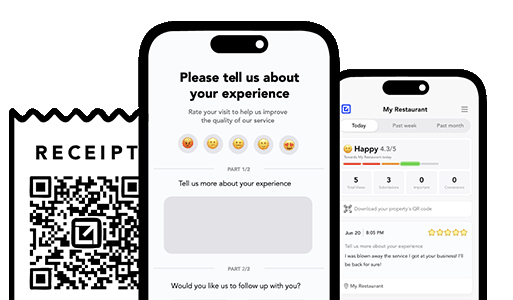
Email clients after every job. Catch issues early, recover unhappy clients fast, and drive repeat work with smart reminders.

Austin Spaeth is the founder of VisibleFeedback, a tool that helps service companies automate post-job follow-ups, catch issues early, and drive repeat work with smart reminders. With a background in software development and a focus on practical customer retention systems, Austin built VisibleFeedback to make it easy to email customers after every job, route problems to the right person, and keep relationships strong without awkward outreach. When he’s not building new features or writing playbooks for service businesses, he’s wrangling his six kids or sneaking in a beach day.
Whether you’re dealing with callbacks, unhappy customers, or low repeat work, we’ll help you tighten the follow up loop.
No credit card required.
