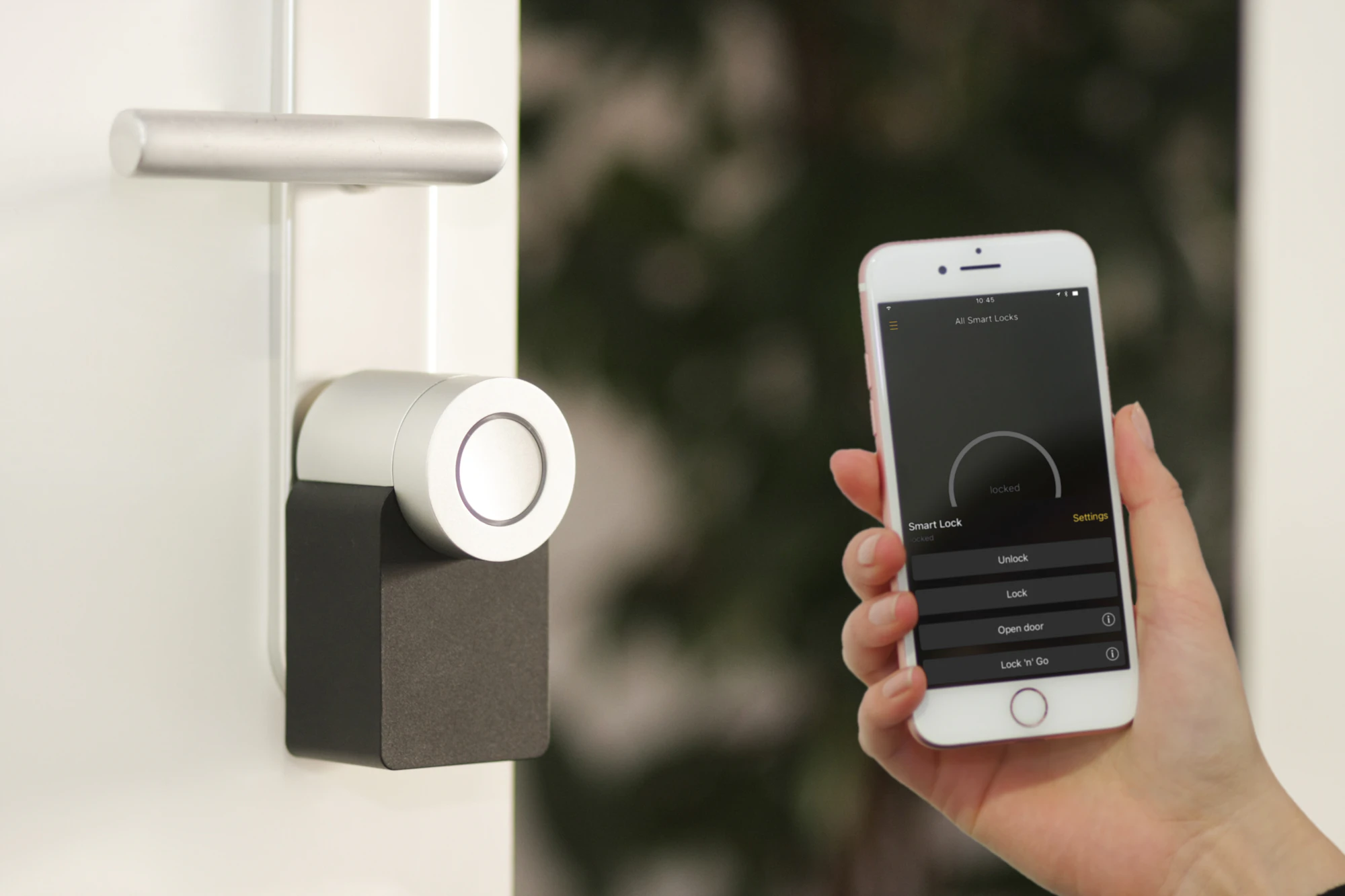
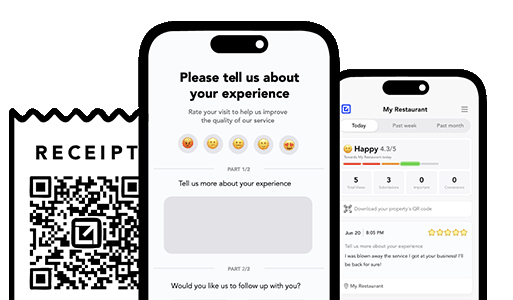
TLDR: A security system installation follow-up is a short check-in you send in the first week or two after the install, once the system has lived through some real daily use, so you can confirm every sensor and camera is still online and catch a false alarm, a dropped connection, or a confused homeowner privately, before it turns into a 1-star review, a city false-alarm fine, or a canceled monitoring plan. It also routes your confident customers to leave a public review while the relief of a finished, safer home is fresh. Add a check-in tied to the monitoring subscription and a referral ask when the yard sign has done its work, and the same system that protects your reputation also protects the recurring revenue that keeps the lights on. Below is the timing, the exact messages, copy-paste templates, a private-first review funnel, and the retention loop that turns one install into a subscriber who stays for years.
Why the security system installation follow-up is your best reputation insurance
Security systems share a hard problem with only a few other trades: the value of the product is invisible until the exact moment it has to perform, and there are two versions of that moment. One is a real break-in, which is rare and which the customer hopes never comes. The other is a false alarm, which is common and which almost always comes first. That means the homeowner’s very first real experience of your work is often the system going off when it should not, at 2 a.m., waking the whole street, dispatching police, and sometimes triggering a fine from the city.
A security system installation follow-up is the message that keeps you connected to the system while the customer is still learning to live with it. Here is how it goes wrong without one. You do a clean install, mount the panel, place a dozen contacts, aim two cameras, pair a smart lock, walk the homeowner through the app, everyone shakes hands, you drive off. Over the next week a window contact drifts a couple of millimeters as the frame settles, or a camera on marginal Wi-Fi keeps dropping offline, or the homeowner arms the system, forgets the pet-immune setting, and the motion sensor trips. The single most damaging security review is not “sloppy wiring,” it is “installed a system that cries wolf and cost me a false-alarm fine in the first month.” Left alone, a small, fixable placement or settings issue turns into a public complaint and a canceled monitoring plan, because the customer’s early impression is that the whole thing is more hassle than protection.
There is an emotional edge here that cuts both ways. People buy security systems because they are worried, about break-ins, about a family member home alone, about a recent incident in the neighborhood. That anxiety makes them post hard when the system fails or false-alarms, and it makes glowing, grateful reviews when they finally sleep easy. Your follow-up is what decides which one you get.
What a security system installation follow-up actually is (and what it is not)
It is not a survey. It is not a “thanks for choosing us” email that lands in a promotions folder. And it is not you calling three times to upsell a video doorbell and a glass-break sensor.
A good security system installation follow-up is one short, plain message, sent at the right moment, that does two jobs at once:
gives a customer whose sensor drifted, whose camera went offline, or who has already had a false trip or a confusing disarm a private, easy way to flag it so you can fix or coach before it becomes a fine, a cancellation, or a public review
gives a confident, happy customer a nudge toward a public review, right when the relief of finally feeling safe at home is still fresh
That is the whole thing. The wording barely matters. What matters is the timing and the discipline of sending it after every single install, not just the ones you felt unsure about. The installs you worry over are usually fine. The false alarms come from the jobs you were sure were perfect, where a contact settled overnight or a customer set the arm-stay mode wrong.
When should you send the security system installation follow-up?
Timing beats phrasing, and security systems are unusual because you want the customer to have actually lived with the system before you ask. The magic happens once they have armed and disarmed it a bunch of times, come and gone, tested the app, maybe had a pet wander past a motion sensor. That real-world use is what surfaces the drifting contact, the flaky camera, and the confusion, all the things that cause false alarms and callbacks.
Seven to fourteen days out: the main check-in. Long enough that they have armed and disarmed through a normal week and any placement or connectivity problem has had a chance to show itself. Short enough that you are still fresh in their mind and a return trip is an easy yes.
After the reassurance or the fix, or right away if they are thrilled: the review ask. Never bundle it with the check-in, and never send it to someone who just told you their camera keeps going offline or the alarm tripped for no reason.
Around the first monitoring renewal and at seasonal changes: the retention check-in, a light touch that confirms the system is still healthy before a fine or a dead sensor battery makes them question the subscription, plus a thank-you and referral ask to anyone who sends you a job.
Send the check-in the same afternoon and there is nothing to react to yet, the walkthrough looked great and they have not armed it in anger. Send it two months late and the first person to discover the drifting contact is the homeowner, jolted awake by a false alarm, drafting a review while they wait for the monitoring center to call back. For more on nailing the window, here is when to send follow-ups after a job.
Automate follow ups after every job
Catch issues early and drive repeat work with smart reminders.
Keep them short and human. Here is a copy-paste set you can adapt to your company’s voice. Swap the reply keywords for whatever your texting setup uses.
When
Channel
Message
7 to 14 days out
Text
Hi [Name], it’s [Company]. Now that you’ve armed and disarmed your system a few times, does every sensor and camera still show online in the app, and have you had any false alarms or trouble disarming? Reply 1 all good, 2 a camera or sensor is offline, 3 false alarm or please call me.
Same, longer version
Email
Hi [Name], thanks again for trusting [Company] with your home’s security. Now that a week or so has passed and you’ve lived with the system, we wanted to check the things that matter most before you ever need it. First, every door and window contact, motion sensor, and camera should still show online in the app, since a Wi-Fi or router change can occasionally drop a device. Second, arming and disarming should feel easy, and you should not be getting any false alarms. Is everything showing online, and have you had any accidental trips? If anything looks off, it is almost always a quick sensor tweak or a settings fix, and we would much rather sort it out on a calm afternoon than have it wake you at 2 a.m. Just reply and we’ll take care of it.
After an “all good” reply
Text
So glad it’s all online and you’re feeling safer, [Name]. Quick favor: would you mind leaving us a short review about your install? It genuinely helps other homeowners deciding who to trust with their family’s safety. Here’s the direct link: [review link]. Thank you!
Monitoring check-in
Text
Hi [Name], it’s [Company]. Quick health check on your system: is everything still showing online, and are your sensor batteries reading full in the app? Staying ahead of a low battery is the easiest way to avoid a false alarm or a coverage gap. Want us to swing by and check anything?
After a neighborhood incident
Text
Hi [Name], we heard there were some break-ins in the area. Just a reminder your system has you covered, and if a neighbor’s been asking about getting protected, we’d be grateful for the intro.
After a referral
Text
[Name], thank you so much for sending [Referred Name] our way. It means a lot, and we’ll take great care of them.
The check-in is the one that protects you. The review ask is the one that grows you. The monitoring check-in is the one that keeps the subscription alive and keeps the system from false-alarming. You need all of them, but if you only ever do one, do the check-in.
The private-first review funnel
The reason this works is not that you are gaming reviews. You are not filtering anyone or hiding complaints. You are giving every customer a private channel first, and simply asking for a public review only after they have told you the system is healthy and they feel safe. Customers with an offline camera or a false-alarm problem get a fix. Confident customers get a link. Everyone gets heard.
Monitoring retention and referrals: the half most security companies leave on the table
Reviews protect your reputation. The monitoring subscription and referrals are where the real money lives. Recurring monthly revenue is the whole reason the alarm industry exists, and security has one of the strongest recurring stories in the trades, if you actually protect it, because the plan renews forever as long as the customer stays happy and the system stays healthy.
The monitoring subscription. This is your recurring monthly revenue, and it is worth far more than the box you installed. The fastest way to lose it is a system that annoys people in the first month, false alarms, an offline camera, a battery warning nobody explained, so they decide the plan is not worth it and cancel. A light check-in that catches those problems early is the cheapest insurance you can buy on the highest-value part of the account. A happy subscriber who already trusts you renews for years, and a reminder before a battery dies or a season change knocks a contact loose keeps them from ever questioning it. This is the same recurring logic behind turning one-time customers into repeat work without spam.
The rest of the system. You installed the core this time. A video doorbell, extra cameras, glass-break sensors, a smart lock, garage control, environmental sensors for smoke, water, or CO are all still on the table. The customer who just started sleeping easier is the easiest add-on you will ever sell.
Neighborhood referrals. Nothing sells a security system like a yard sign and a neighbor who feels safe. After a break-in nearby, worried homeowners ask each other who they use, and a happy customer will point them your way if you ask while the concern is fresh. This is one of the highest-converting referral moments in the trade, and almost nobody works it deliberately.
Small commercial and property-manager accounts. Retail shops, offices, and rental properties carry real liability and often need documented, monitored security, and they re-sign vendors who make it easy and reliable. One standing commercial monitoring contract can be worth more than a month of residential one-offs.
The mistake is leaving all of that to memory. You mean to circle back about the battery check and the renewal, and then this week’s installs swallow the day. A single well-timed check-in can be worth more than the install that earned it, because it protects a subscription that bills every month and prevents the false alarm that would have canceled it. This is where the follow-up and the retention reminder become one system: the same channel that caught an offline camera after the install can nudge a happy customer to refer a neighbor after a nearby break-in or confirm the system before a renewal. Tools like VisibleFeedback intercept dissatisfaction before it turns into churn, and send those monitoring and referral reminders automatically, so you are not the one setting calendar alarms for every system you installed last spring. There is more on the mechanics in the reminder revenue playbook and in how to reduce callbacks with a post-job follow-up system.
A simple response workflow so follow-ups don’t create chaos
If you send check-ins, you have to handle the replies fast, or you have just built a machine for reminding people about the false alarm they were about to shrug off. On security systems the stakes are higher than most trades, because a “2 camera offline” reply is a coverage gap during a real break-in, and a “3 false alarm” reply is a fine and a cancellation waiting to happen. Keep it to five states and two rules.
Statuses: New -> Acknowledged -> Scheduled -> Resolved -> Confirmed
Rule one: every “2 offline” or “3 false alarm” reply gets an owner and a callback the same day, because that is a system that will either miss a real event or wake someone at 2 a.m.
Rule two: confirm after the fix, so the customer hears “you’re fully covered again” from you before the next scare, not after
That is the whole system. On a trade where a single “cries wolf and cost me a fine” review can cost you the next several monitored accounts, a same-day callback and a quick sensor or settings fix is the best hour you will spend all week. For the recovery script itself, see how to handle unhappy customers fast. Much of this playbook rhymes with the sister trades, so if you also run low-voltage or electrical work, electrician follow-ups that reduce callbacks is worth a read.
Where VisibleFeedback fits
You can absolutely run this by hand with a spreadsheet and a texting app, and you should start today if that is all you have. It works because the habit works, not because the tool is fancy.
The reason security companies automate it is timing and memory. When you are running several installs and service calls a week, remembering to text each customer exactly ten days later, only asking the confident ones for a review, routing every “camera offline” or “false alarm” reply to someone who will actually fix it before it wakes the customer, and circling back at the renewal and battery interval for every account becomes its own full-time job, and it is exactly the job that slips when you are slammed. VisibleFeedback runs it on autopilot: it sends the post-install check-in on your schedule, routes any “offline” or “false alarm” reply straight to you before it goes public, points confident customers to a review, and fires the monitoring, seasonal, and referral reminders automatically. VisibleFeedback was built to catch issues before they show up on Yelp or Google. It starts at $65 a month with no contract, versus the $299 to $699 the big reputation platforms charge, which matters when you are running a truck or two and not a national alarm brand.
A quick security system installation follow-up checklist
Send a check-in after every install, seven to fourteen days out, once they’ve armed and disarmed through real use
Keep it to one tap: 1 all good / 2 camera or sensor offline / 3 false alarm or please call me
Route “offline” and “false alarm” replies to a same-day callback, never to a review
Ask only confident customers for a review, after they confirm everything is online and easy to use
Send the review link directly, not “find us on Google”
Reach out after nearby incidents, confirm they feel covered, and ask for the neighborhood referral
Set a monitoring check-in before renewals and at seasonal changes, tied to sensor battery health
Put small commercial and property-manager accounts on a documented, monitored schedule
Do it every install, not just when you remember
FAQ
What is a security system installation follow-up? It is a short message you send in the first week or two after each install, once the customer has armed and disarmed the system through normal use, to confirm every sensor and camera is still online and check for any false alarms or trouble disarming. It catches drifting contacts, offline cameras, and confused settings privately so you can fix or coach before they become false-alarm fines, canceled monitoring plans, or public reviews, and it routes confident customers toward leaving a review. Paired with monitoring check-ins and referral asks, it also keeps new work and recurring revenue flowing in.
When should I send the follow-up text? Seven to fourteen days after the install, not the same afternoon. That gives the customer time to actually live with the system so any placement or connectivity problem shows itself while you can still fix it calmly. Send the review request after they confirm everything is online and easy, and set a monitoring check-in before renewals and at seasonal changes when contacts and batteries are most likely to drift.
How do I reduce false-alarm callbacks after an install? Most early false alarms come from a few predictable causes: a contact that drifts as the frame settles, a motion sensor set without the pet-immune mode, a camera on marginal Wi-Fi, or a customer who never got comfortable disarming from the app. A single check-in a week or two out surfaces all of them while they are cheap to fix, before they trip the alarm at 2 a.m. and turn into a fine or a review.
Won’t customers find the texts annoying? Not if you keep them short and infrequent. One quick check-in after the install and a light reminder before renewals reads as a company that stands behind the system and takes reliability seriously, not spam. What annoys people is a ten-question survey or three review asks in two days. What annoys them far more is a system that false-alarmed and a company that never checked in.
How does this help me keep the monitoring subscription, not just protect my rating? The subscription is your recurring monthly revenue, and the top reason people cancel in the first months is a system that annoyed them, a false alarm, an offline camera, an unexplained battery warning. Catching those early with a check-in keeps the customer happy enough to stay enrolled, and the retention reminders bring you back for battery checks, add-ons, and renewals. That is where this compounds fastest.
The bottom line
Your security company’s reputation is not decided during the walkthrough while everyone is admiring a clean install and a working app. It is decided a week or two later, usually in the middle of the night, when a drifting contact or a flaky camera trips the alarm the customer bought for peace of mind, and if you never checked in, the first you hear of it is a one-star review that mentions the fine they paid and the sleep they lost. A single short text puts you back in that moment before it arrives: you catch the false-alarm triggers while the sun is out, you turn the confident customers into the reviews that win the next monitored account, and you protect the subscription that pays you every single month.
Start with the templates above and one habit: message every customer about ten days after every install. If you would rather it run itself on every job, start a free 14-day trial of VisibleFeedback, no credit card required.
Automate follow ups after every job
Catch issues early and drive repeat work with smart reminders.
How can I prevent negative reviews from hurting my business? You can’t stop every unhappy customer from sharing feedback, but you can intercept it before it goes public. Tools like VisibleFeedback allow customers to scan a QR code and leave feedback privately. If the feedback is negative, you’re alerted instantly so you can resolve the issue before it turns into a 1-star review.Why are customer reviews so important for local SEO? Reviews are one of the top local ranking factors on Google. Businesses with consistent positive reviews rank higher in search results and attract more customers. By using VisibleFeedback to capture happy customer moments and guide them to Google or Yelp, you build a steady flow of authentic reviews that improve both your reputation and your local SEO.What’s the best way to collect customer feedback in 2025? Traditional methods like comment cards and long surveys don’t work anymore, customers want convenience. The easiest way to collect real-time feedback in 2025 is by using QR codes and mobile-friendly forms. VisibleFeedback makes this simple, helping you get instant insights while turning satisfied customers into 5-star reviewers.How does feedback help improve retention? Feedback reveals what keeps customers loyal and what drives them away. VisibleFeedback helps you act on insights before customers churn.What’s the link between customer experience and retention? Positive experiences lead to repeat business. Using tools like VisibleFeedback ensures you consistently deliver great experiences by resolving issues early.Why should businesses prioritize retention over acquisition? Retaining customers is cheaper and more profitable than finding new ones. VisibleFeedback helps strengthen retention by keeping customers satisfied.
Austin Spaeth is the founder of VisibleFeedback, a tool that helps service companies automate post-job follow-ups, catch issues early, and drive repeat work with smart reminders. With a background in software development and a focus on practical customer retention systems, Austin built VisibleFeedback to make it easy to email customers after every job, route problems to the right person, and keep relationships strong without awkward outreach. When he’s not building new features or writing playbooks for service businesses, he’s wrangling his six kids or sneaking in a beach day.
🚀 What's your goal? Get a plan ...
🚀 Start Here For Help
Whether you’re dealing with callbacks, unhappy customers, or low repeat work, we’ll help you tighten the follow up loop.